
本文使用的版本
- PlayFab SDK: 2.86.2005 18
前言
本文會使用 PlayFab 的 Leaderboard 相關 API。由於前提是玩家必須先登入,如果你想了解登入流程,請先閱讀下方文章。
建立排行榜
要實作排行榜,首先需要從 PlayFab 管理後台 建立新的排行榜。
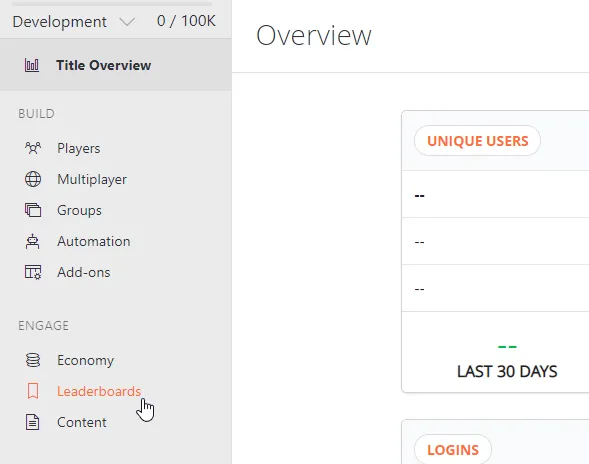
1. 打開排行榜管理畫面
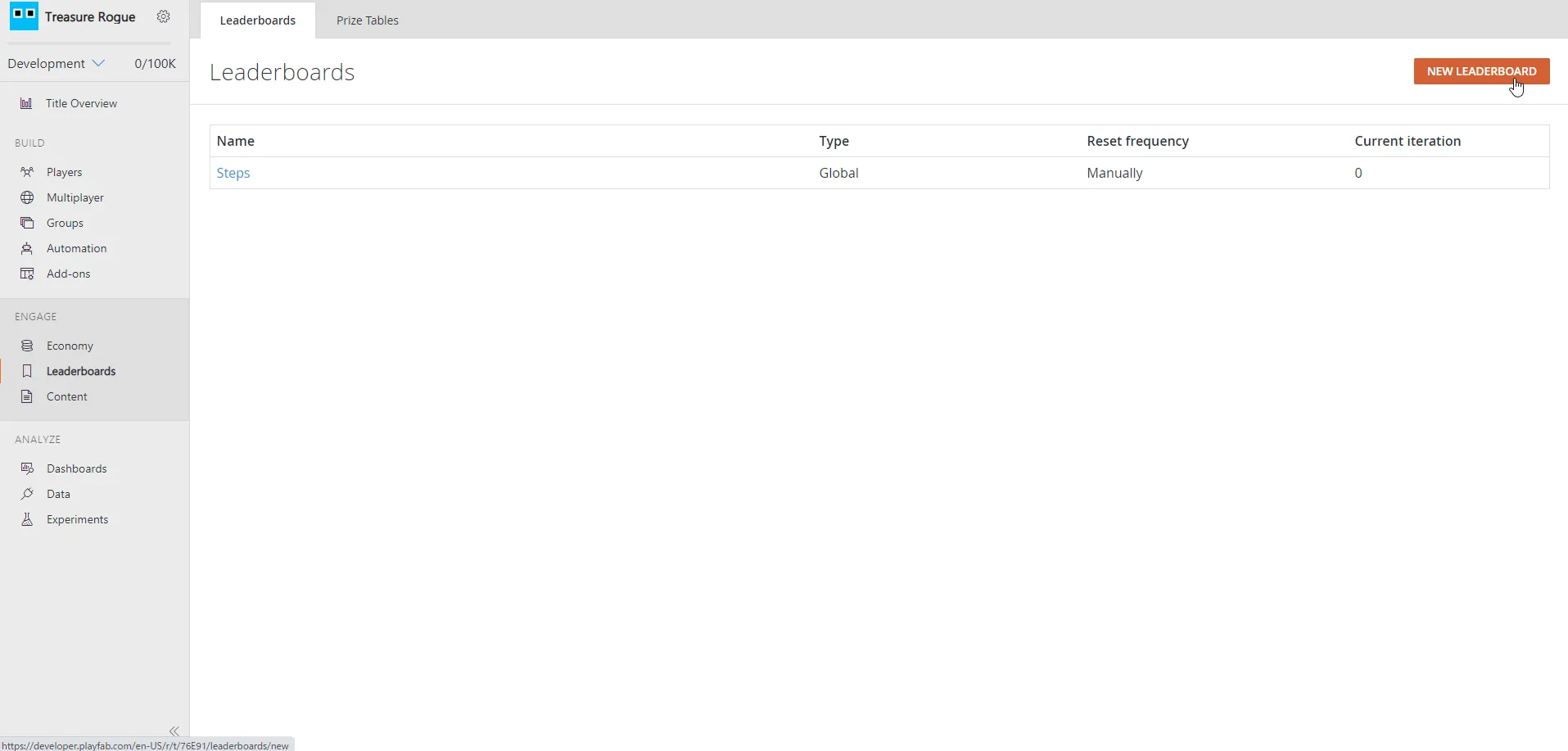
2. 點擊畫面右上角的「NEW LEADERBOARD」按鈕
3. 建立排行榜
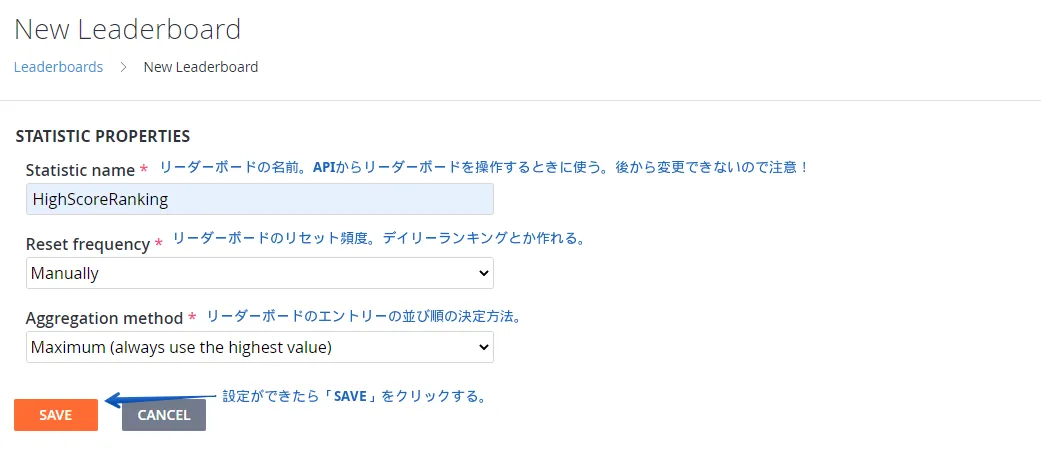
Reset frequency
重設頻率大致分成「手動」與「指定期間」兩種方式;在「手動」模式下,可以直接從排行榜管理畫面重設排行榜。
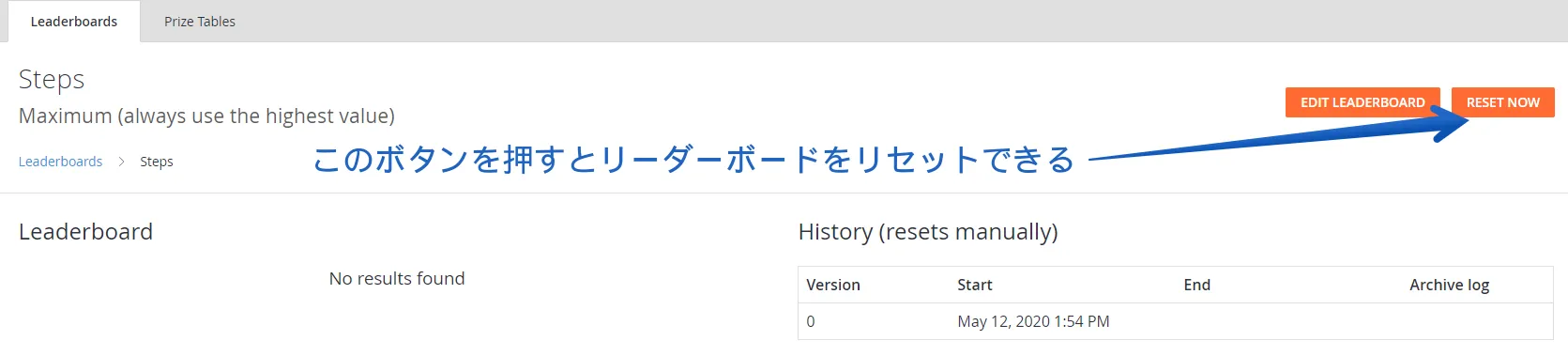
即使選擇的是「指定期間」模式,也還是可以從這裡直接手動重設。
Aggregation method
這個選項會決定玩家送到排行榜的數值要如何彙總。
| 彙總方式 | 說明 |
|---|---|
| Last | 使用玩家最後一次送出的數值。 |
| Minimum | 使用最低值。適合比較最低分的排行榜。 |
| Maximum | 使用最高值。適合比較最高分的排行榜。 |
| Sum | 將玩家送出的數值加到既有數值上。適合比較累計總分的排行榜。 |
腳本
接下來說明 Leaderboard API。
註冊玩家名稱
先設定要顯示在排行榜上的玩家名稱。
using UnityEngine;
using PlayFab;
using PlayFab.ClientModels;

public void SetPlayerDisplayName (string displayName) {
	PlayFabClientAPI.UpdateUserTitleDisplayName(
		new UpdateUserTitleDisplayNameRequest {
			DisplayName = displayName
		},
		result => {
			Debug.Log("Display name was set successfully.");
		},
		error => {
			Debug.LogError(error.GenerateErrorReport());
		}
	);
}
將分數送出到排行榜
在送出玩家分數之前,必須先從 PlayFab 管理後台允許玩家統計資料的送出。
從齒輪圖示 -> Title settings 中打開 API Features,然後勾選 Allow client to post player statistics。
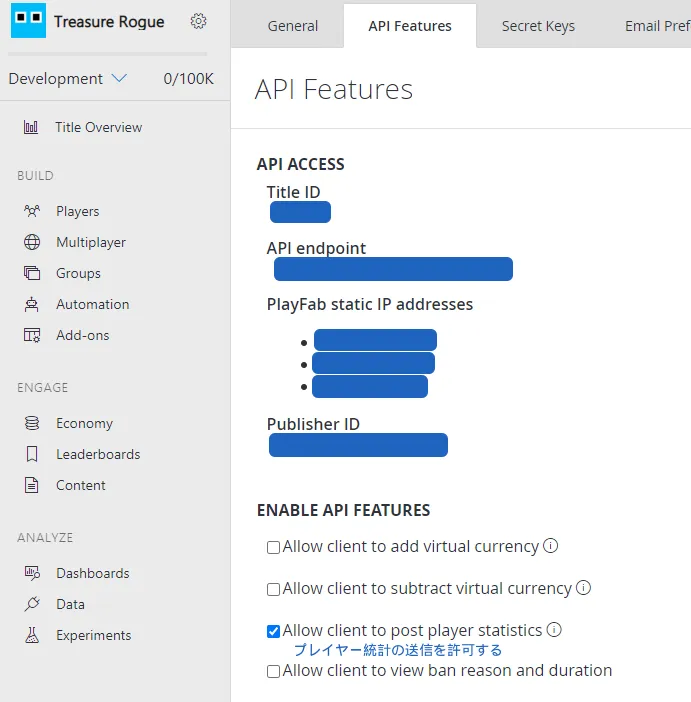
以下程式碼示範如何把玩家分數送到排行榜。
using System.Collections.Generic;
using UnityEngine;
using PlayFab;
using PlayFab.ClientModels;

public void SendStatisticUpdate (string leaderboardName,int score) {
	// The update information you want to send
	var statisticUpdates = new List<StatisticUpdate> {
		new StatisticUpdate {
			StatisticName = leaderboardName,
			Value = score
		}
	};

	PlayFabClientAPI.UpdatePlayerStatistics(
		new UpdatePlayerStatisticsRequest {
			Statistics = statisticUpdates
		},
		result => {
			Debug.Log("Score was submitted successfully.");
		},
		error => {
			Debug.LogError(error.GenerateErrorReport());
		}
	);
}
leaderboardName 請指定剛才建立排行榜時決定的名稱,也就是 Statistic name。
取得排行榜
以下程式碼示範如何取得排行榜資料。
using UnityEngine;
using PlayFab;
using PlayFab.ClientModels;

public void LoadLeaderboardWithStartAtSpecifiedPosition (string leaderboardName,int startPosition,int maxResultsCount) {
	PlayFabClientAPI.GetLeaderboard(
		new GetLeaderboardRequest {
			StatisticName = leaderboardName,
			StartPosition = startPosition,
			MaxResultsCount = maxResultsCount
		},
		result => {
			// Display the leaderboard results in the log
			foreach (PlayerLeaderboardEntry entry in result.Leaderboard) {
				Debug.Log($"{entry.DisplayName}: {entry.StatValue}");
			}
		},
		error => {
			Debug.LogError(error.GenerateErrorReport());
		}
	);
}
GetLeaderboard 的種類
取得排行榜資料有好幾種方法。
| GetLeaderboard 類型 | 說明 |
|---|---|
| GetLeaderboard | 從排行榜的指定位置開始,取得指定數量的使用者清單。(另外也有只限朋友的 GetFriendLeaderboard) |
| GetLeaderboardAroundPlayer | 以目前登入中的玩家,或指定的玩家為中心,取得排序後的使用者清單。(另外也有只限朋友的 GetFriendLeaderboardAroundPlayer) |
結語
關於 PlayFab,我目前仍處於將它導入專案的途中,也還在學習中。
如果有錯誤之處,還請告訴我。