![Article image for [PlayFab] Implementing a Leaderboard [Unity]](/_astro/cover.DjCafF6t_6qJkl.webp)
Version used in this article
- PlayFab SDK: 2.86.2005 18
Introduction
This article uses PlayFab’s leaderboard-related APIs. Since players need to be logged in first, please see the following article if you want to learn about login.
PlayFab: Generating IDs and Logging In [Unity]
Creating a Leaderboard
To implement a leaderboard, you first need to create one from the PlayFab dashboard.
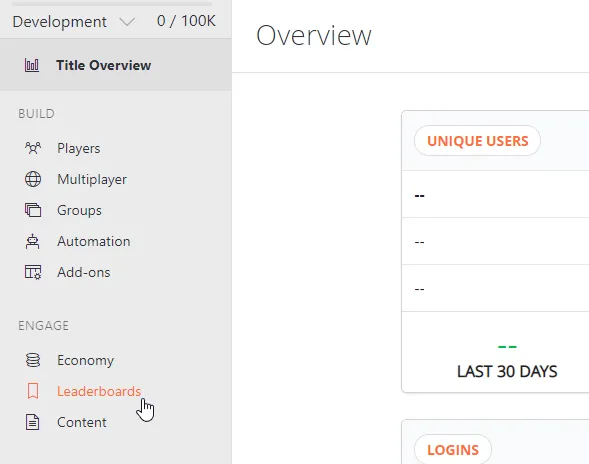
1. Open the leaderboard management screen
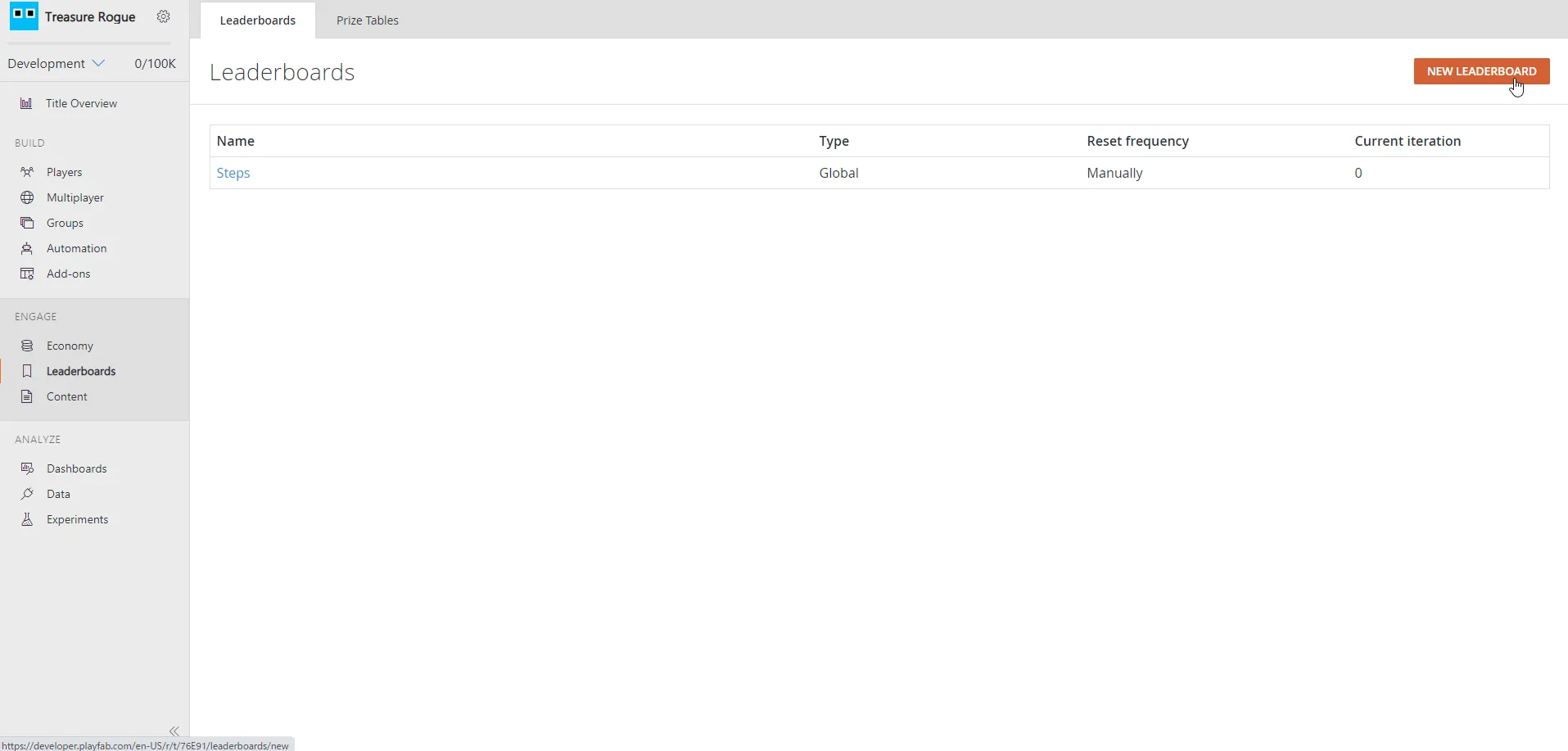
2. Click the “NEW LEADERBOARD” button in the upper right
3. Create the leaderboard
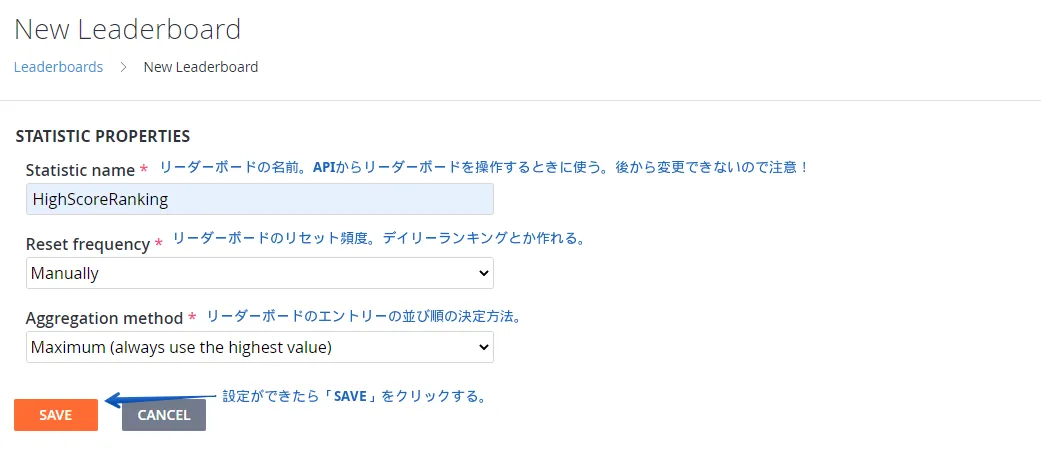
Reset frequency
There are two broad reset modes: manual and scheduled. In manual mode, you reset the leaderboard directly from the leaderboard management screen.
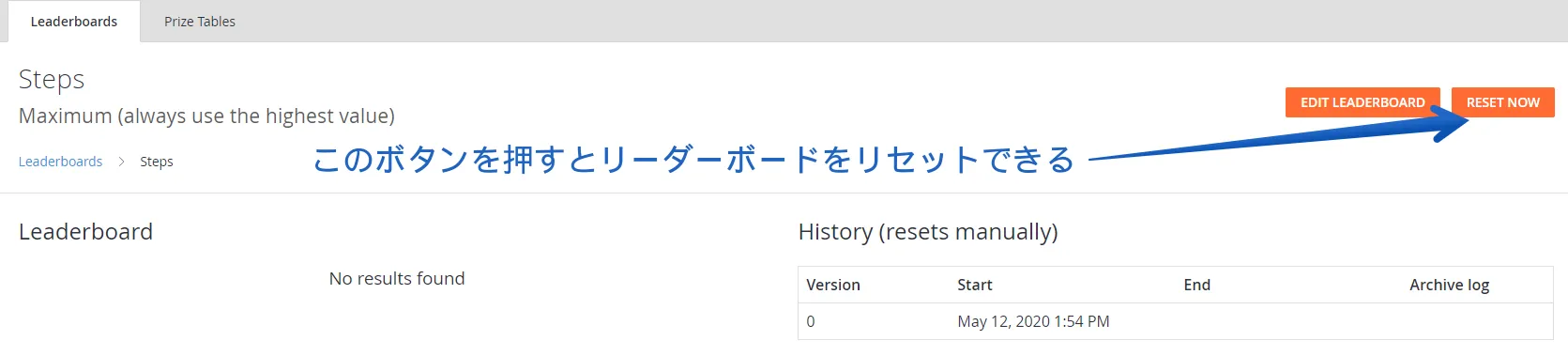
Even if you choose a scheduled reset, you can still reset it manually from here.
Aggregation method
This determines how the values sent to the leaderboard are aggregated.
| Aggregation method | Description |
|---|---|
| Last | Uses the last value submitted by the player. |
| Minimum | Uses the lowest value. Suitable for rankings that compete for the lowest score. |
| Maximum | Uses the highest value. Suitable for rankings that compete for the highest score. |
| Sum | Adds the value submitted by the player to the existing value. Suitable for rankings that compete on the total. |
Scripting
Here I will explain the leaderboard APIs.
Registering the player’s name
Set the player name to display on the leaderboard.
using UnityEngine;
using PlayFab;
using PlayFab.ClientModels;

public void SetPlayerDisplayName (string displayName) {
	PlayFabClientAPI.UpdateUserTitleDisplayName(
		new UpdateUserTitleDisplayNameRequest {
			DisplayName = displayName
		},
		result => {
			Debug.Log("Display name was set successfully.");
		},
		error => {
			Debug.LogError(error.GenerateErrorReport());
		}
	);
}
Submitting a score to the leaderboard
Before you can submit a player’s score, you first need to allow player statistics submission in the PlayFab dashboard.
From the gear icon -> Title settings, open API Features and check “Allow client to post player statistics.”
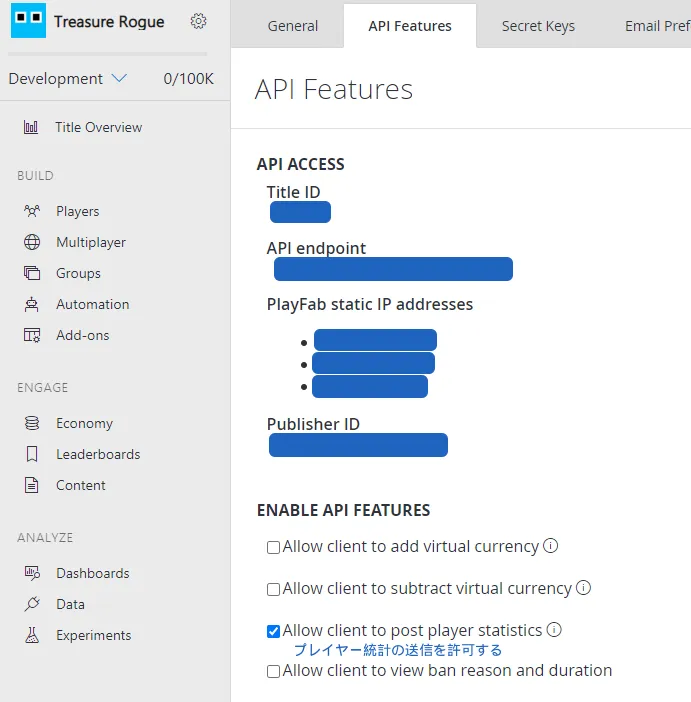
The following code is a sample for submitting a player’s score to the leaderboard.
using System.Collections.Generic;
using UnityEngine;
using PlayFab;
using PlayFab.ClientModels;

public void SendStatisticUpdate (string leaderboardName,int score) {
	// The update information you want to send
	var statisticUpdates = new List<StatisticUpdate> {
		new StatisticUpdate {
			StatisticName = leaderboardName,
			Value = score
		}
	};

	PlayFabClientAPI.UpdatePlayerStatistics(
		new UpdatePlayerStatisticsRequest {
			Statistics = statisticUpdates
		},
		result => {
			Debug.Log("Score was submitted successfully.");
		},
		error => {
			Debug.LogError(error.GenerateErrorReport());
		}
	);
}
Specify, for leaderboardName, the name you decided on when you created the leaderboard earlier (Statistic name).
Retrieving the leaderboard
The following code is a sample for retrieving the leaderboard.
using UnityEngine;
using PlayFab;
using PlayFab.ClientModels;

public void LoadLeaderboardWithStartAtSpecifiedPosition (string leaderboardName,int startPosition,int maxResultsCount) {
	PlayFabClientAPI.GetLeaderboard(
		new GetLeaderboardRequest {
			StatisticName = leaderboardName,
			StartPosition = startPosition,
			MaxResultsCount = maxResultsCount
		},
		result => {
			// Display the leaderboard results in the log
			foreach (PlayerLeaderboardEntry entry in result.Leaderboard) {
				Debug.Log($"{entry.DisplayName}: {entry.StatValue}");
			}
		},
		error => {
			Debug.LogError(error.GenerateErrorReport());
		}
	);
}
Types of GetLeaderboard
There are several ways to retrieve leaderboard data.
| GetLeaderboard type | Description |
|---|---|
| GetLeaderboard | Retrieves a list of users from a specified position in the leaderboard, for the specified number of users. (There is also GetFriendLeaderboard, which is limited to friends.) |
| GetLeaderboardAroundPlayer | Retrieves a ranked list of users centered on the currently logged-in player, or a specified player. (There is also GetFriendLeaderboardAroundPlayer, which is limited to friends.) |
Closing Thoughts
I am still in the middle of introducing PlayFab into a project, so I am still learning.
If you spot any mistakes, I would appreciate it if you let me know.
References
- Using the Profile for Advanced Scoreboards
- I tried PlayFab’s convenient leaderboard feature and even handed out ranking rewards